How a Hardcoded Website Can Still Manage Content with a Custom CMS
Project: Prima Bay
During website consulting and development projects, we frequently encounter the same question from clients: If a website is custom-built rather than powered by a CMS such as WordPress, how will content be updated and published afterward?
This is a practical concern. With WordPress, users are familiar with a straightforward workflow: log in, create content, and publish. With custom-coded websites, however, clients often worry that every content update will require assistance from the development team, creating unnecessary dependencies and operational friction.
Most clients want a website with a unique design, better performance, smoother animations, and stronger SEO capabilities than typical template-based solutions. At the same time, they still need the ability to publish news, update project progress, share marketing content, and manage customer inquiries independently.
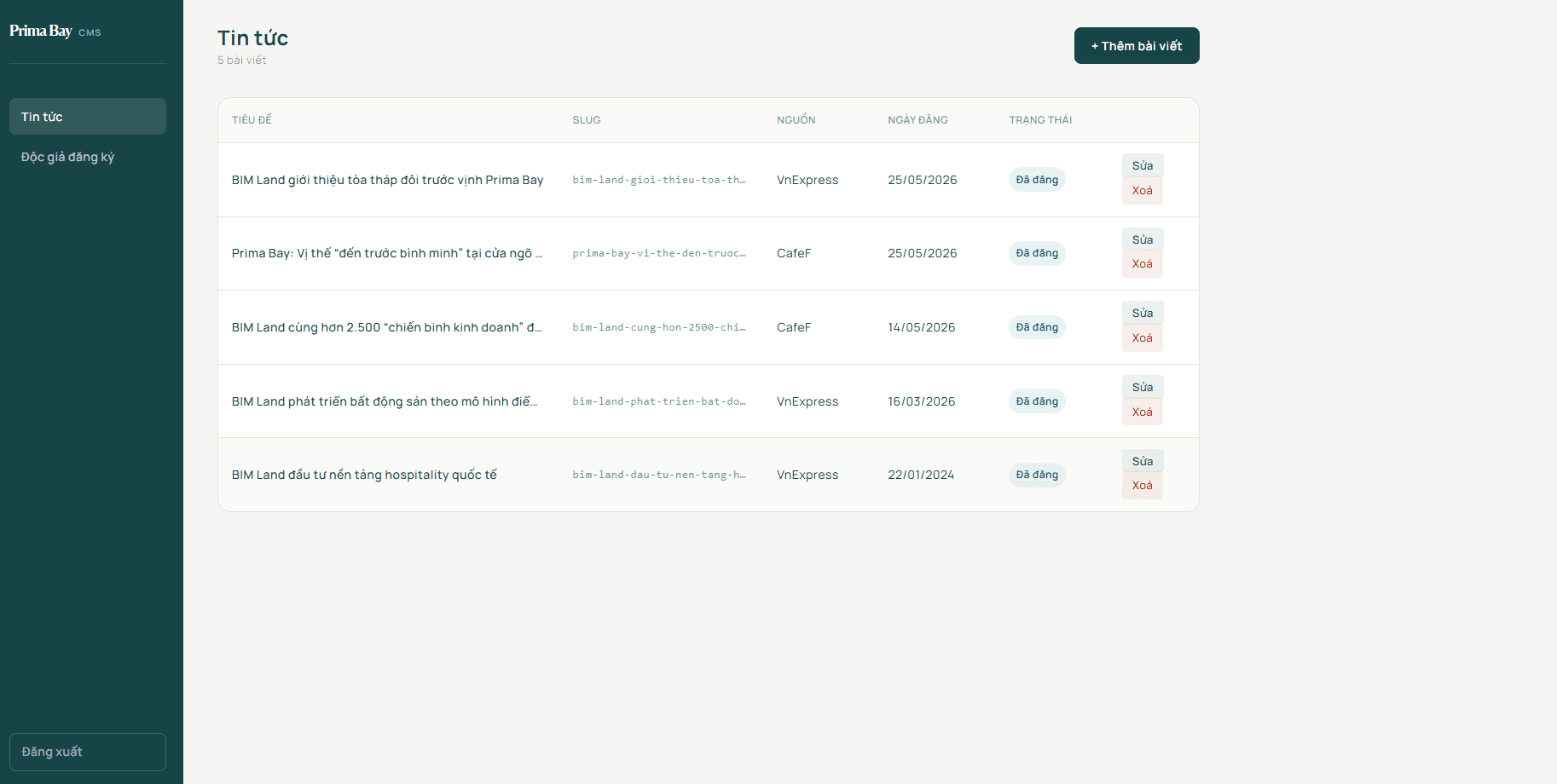
Prima Bay is a good example of this approach. The public website was built as a custom Next.js application, while a lightweight CMS was added behind the scenes, allowing the client to manage news articles and subscribers without developer involvement.
Building a Simple CMS Solution
What Is a CMS?
CMS stands for Content Management System. Simply put, it is an interface that allows website administrators to create content, edit content, upload images, manage publishing status, and handle website data without touching the codebase.
For many websites, especially project landing pages and corporate websites, the majority of content remains relatively static. The sections that require regular updates are typically limited to:
Blog posts
News articles
Contact forms
Subscriber and lead data
For this reason, building a dedicated CMS tailored to actual business requirements is often a more practical solution.
A lightweight CMS does not need excessive functionality.
Administrators usually only need the ability to:
Log in
Create articles
Edit articles
Delete articles
Publish or unpublish content
View subscriber lists
If external reporting is required, a CSV export function can easily be added.
This approach delivers the best of both worlds. The public-facing website remains fully custom-built, allowing complete control over design, performance, animations, and user experience, while clients still have an intuitive administration interface for day-to-day content management.
Benefits of Adding a CMS to a Custom Website
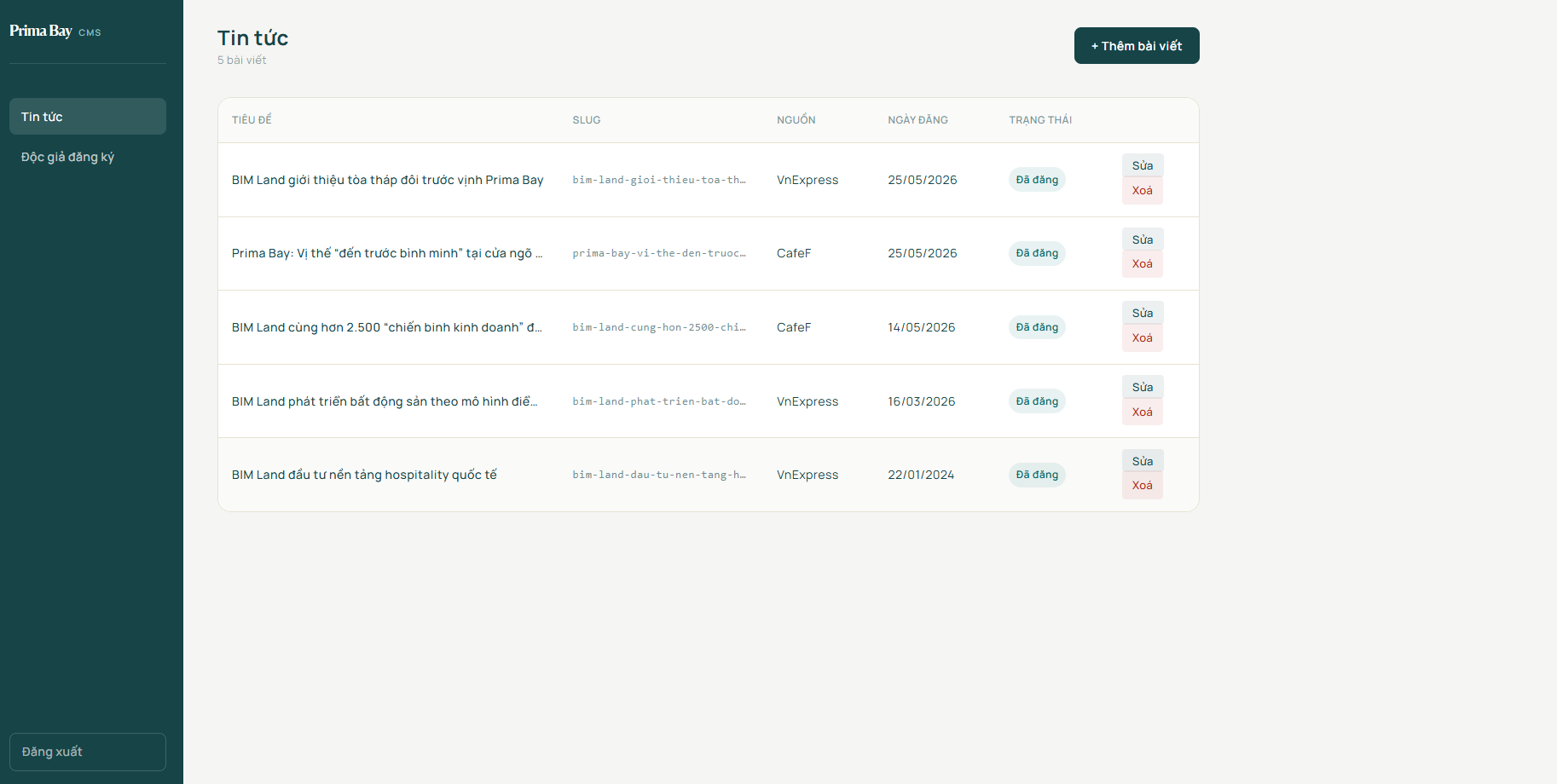
The first benefit is obvious: clients can publish content without waiting for developers. For real estate projects, updates such as project progress reports, sales announcements, and marketing articles are often published regularly.
The second benefit is maintaining the quality advantages of a custom-built product. Without relying heavily on third-party themes or plugins, development teams retain full control over:
Layout structure
Animations and interactions
Performance optimization
Frontend data rendering
The third benefit is that the CMS can be tailored specifically to the client's actual workflow. If the client only needs to manage news content and subscriber lists, there is no need to build a large and complex content management platform.
For Prima Bay, the CMS focuses on only two core areas:
News management
Subscriber management
News content powers the public website, while subscriber data supports the sales team by providing access to lead information and export capabilities when needed.
A CMS Should Start with Business Requirements
When building a CMS for a custom website, we rarely begin by asking: "How many features can this CMS support?". A much better question is: "What will the client actually use it for?".
For blog and subscriber management, the workflow is relatively straightforward. Administrators log into the management portal and access the News section. There they can:
Create articles
Enter titles
Define slugs
Add excerpts
Upload featured images
Write article content
Articles can either be saved as drafts or published immediately. Published articles automatically appear on the public website, while draft content remains hidden from visitors.
For subscribers, users complete inquiry forms on the public website. Their information is stored in the database, and administrators can review:
Names
Email addresses
Phone numbers
Messages
Submission dates
When necessary, data can be exported as CSV files for further processing in Excel or Google Sheets.
Managing News Articles
A blog post does not require an extensive set of fields to be useful. Typically, the following are sufficient:
Title
Slug
Excerpt
Content
Featured image
Source reference
Publishing status
Publication date
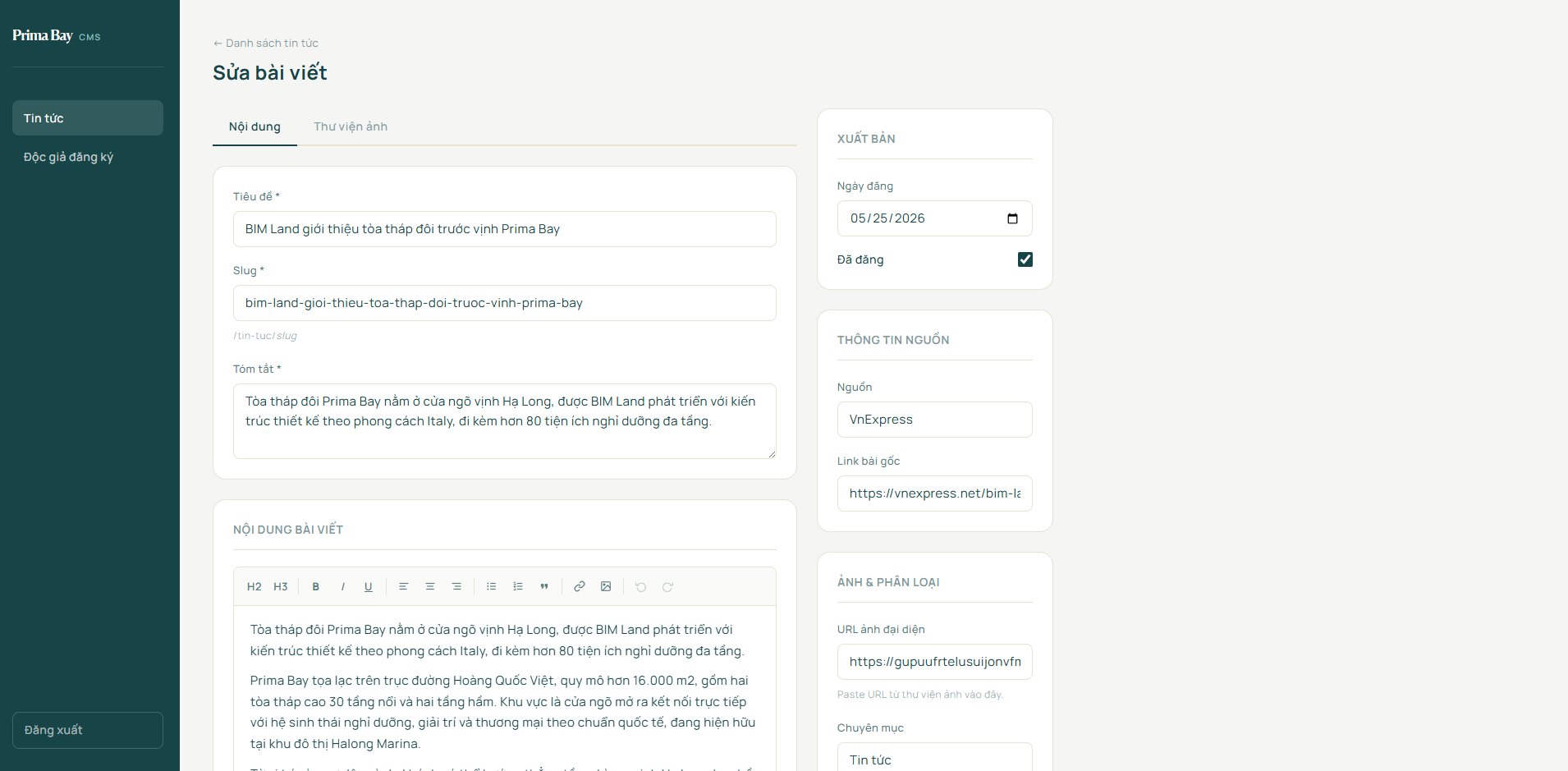
Slugs can be generated automatically from the title to simplify the publishing workflow. However, manual editing should still be allowed in cases where content teams want shorter or more meaningful URLs.
Managing Subscribers
Subscribers may seem like a small feature, but they are especially important for real estate websites. Subscriber records are not merely form submissions—they represent potential sales leads.
The subscriber list should provide enough information for sales teams to act quickly. Email addresses should be clickable. Phone numbers should support direct calling. Registration timestamps help distinguish new leads from older ones.
CSV export functionality is also essential because it allows business teams to synchronize data with external systems without requiring IT support.
Technical Stack: Next.js, Supabase, JWT Authentication, and Content Editing
From a technical perspective, the Prima Bay project uses:
Next.js for frontend development and server-side rendering
Supabase for data storage
TipTap as the content editor
A custom JWT-based admin authentication system
Database Structure for Blogs and Subscribers
For Next.js projects, Supabase is an excellent choice because it combines:
PostgreSQL
Authentication services
Developer-friendly SDKs
The data model can remain extremely simple with only two primary tables:
newssubscribers
The news table stores article content, while the subscribers table stores inquiry submissions from website forms.
A minimal article schema might look like this:
```sql
create table news (
  id uuid primary key default gen_random_uuid(),
  title text not null,
  slug text not null unique,
  excerpt text,
  content jsonb,
  image_url text,
  source text,
  published boolean not null default false,
  published_at timestamptz,
  created_at timestamptz not null default now(),
  updated_at timestamptz not null default now()
);
```
For subscriber data, a lightweight schema is usually sufficient:
```sql
create table subscribers (
  id uuid primary key default gen_random_uuid(),
  name text,
  email text,
  phone text,
  message text,
  created_at timestamptz not null default now()
);
```
Public Routes and Admin Routes
The public website can include routes such as:
/newsfor article listings/news/[slug]for article detail pages
The administration interface can live under a dedicated /admin section.
For example:
/admin/news/admin/subscribers
This separation keeps the codebase organized. Public users can only access published content, while administrators can create, edit, delete, and publish data.
Admin Authentication
The current CMS uses a shared administrator password. When an administrator logs in, the backend validates the password against the ADMIN_PASSWORD environment variable. If authentication succeeds, a JWT token is generated using ADMIN_JWT_SECRET and stored within an admin_token cookie.
Because the cookie uses the httpOnly flag, it cannot be accessed directly by client-side JavaScript. All /admin/* routes are protected at the server level through src/proxy.ts. Users without a valid token are automatically redirected to /admin/login.
This approach is lightweight and effective for smaller CMS deployments with only a few administrators. If future requirements include:
Multiple user accounts
Role-based permissions
Revision history
Audit logs
The system can later be upgraded to Supabase Auth or a more advanced authentication platform.
Server Actions and Write Permissions
Operations such as: creating articles, updating articles, deleting articles, publishing content and removing subscribers should always be executed on the server. Clients should never write directly to the database without proper validation and authorization controls.
Although admin routes are already protected through authentication tokens, server actions should also verify administrator permissions before executing write operations. This additional layer of protection becomes increasingly important as the system grows.
Supabase Row Level Security (RLS) policies should also be configured appropriately. Public users should only access data explicitly intended for public consumption, while sensitive write operations should never be exposed through anonymous access keys.
SEO Considerations for Blog Content
For blogs and news sections, SEO implementation does not need to be overly complicated initially. Common mappings include:
Article title → Meta title
Article excerpt → Meta description
Featured image → Open Graph image
This ensures that content appears correctly when shared on social platforms.
More importantly, article content should be rendered on the server so search engine crawlers can access meaningful HTML immediately. This is one of the major advantages of Next.js compared to solutions that render content entirely on the client side.
Conclusion
For projects like Prima Bay, a practical approach is to maintain a custom-built public website using Next.js for optimal performance and user experience, use Supabase for data management, and provide a dedicated admin area for managing news content and subscribers. There is no need to build an overly complex CMS from day one. Focusing on the features clients use every day is often enough to solve real business problems effectively.
If future requirements evolve to include:
Multi-level permissions
Editorial approval workflows
Scheduled publishing
Advanced media management
Multilingual content
Thousands of articles
the CMS can be expanded or integrated with a specialized headless CMS platform. However, it is rarely a good idea to start with a large, complex system when current business needs only require a lightweight, easy-to-use, and maintainable solution.